.CWFYBDhz_ZnltTu.webp)
01
Business data management
Organize tables around your business, from entry to queries and statistics.
HARVID · AI-Powered Intelligent Database
Connect local data and AI processing with devices on local and remote networks. Collect, query, annotate, analyze, and visualize—from computers and phones.


| 编号 | 产品 | 地区 | 数量 |
|---|---|---|---|
| 001 | 样品A | 华东 | 24 |
| 002 | 样品B | 华北 | 18 |
| 003 | 样品C | 华南 | 32 |




HARVID / CAPABILITIES
Automatically form entry, query, and visualization interfaces
Process and analyze data with a single sentence
Submit, query, and annotate on local or remote networks
Search and filter images by similarity
Connect systems, devices, and data sources
Keep business data centered on your local database
01 / Flexible tables
Define fields, types, and data structures around your business. HARVID forms the interfaces for data entry, querying, filtering, and visualization from that structure. Whether you manage product information, field records, or business data, build a database around the way you work and put it into daily use.

02 / AI-powered processing
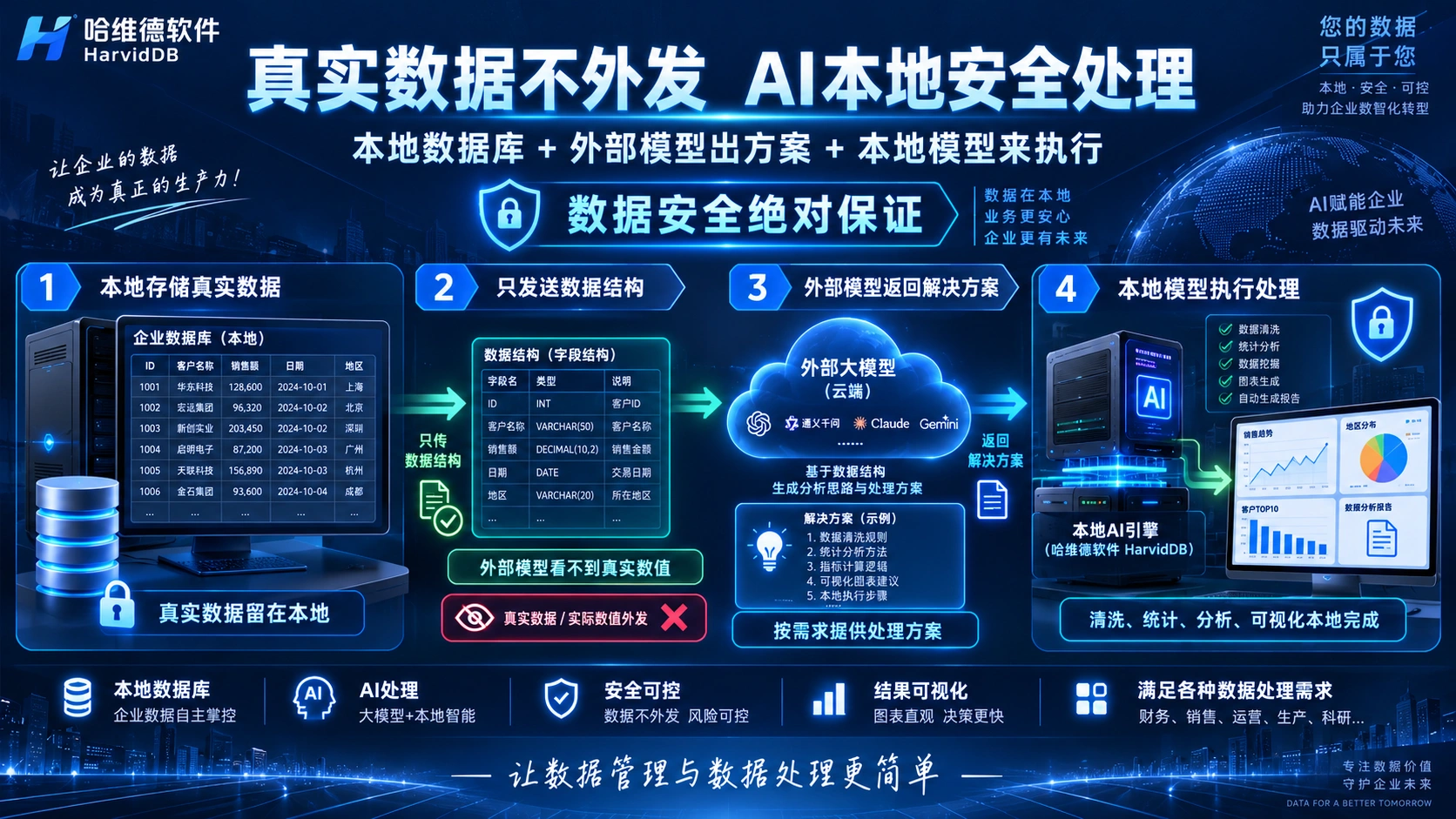
Describe a database task in natural language: adjust fields, organize records, summarize data, or create a visualization. AI helps understand the request and plan a method; HARVID executes through local capabilities. Connect describing a task with getting a result, with fewer steps between tools and interfaces.
AI understands the task. HARVID executes it.

02.1 / AI capability retention
For new processing needs, external models help understand the task and suggest methods. Successful, validated methods can become reusable capabilities, with similar tasks prioritizing local reuse. Carry processing experience into the next workflow for common data organization, statistics, and analysis tasks.
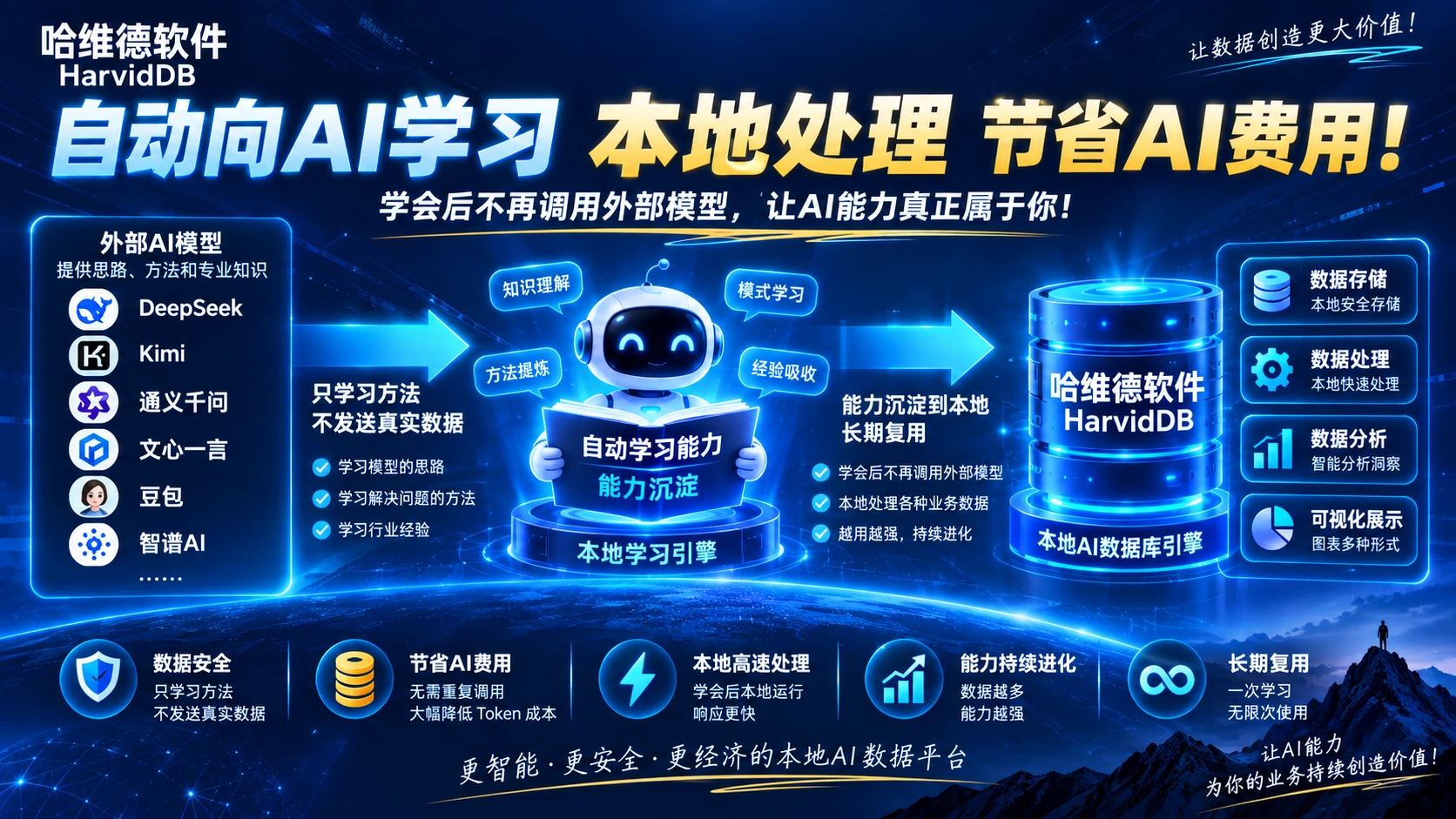
Capability retention concept. Learning scope, reuse, and model calls depend on the actual product.
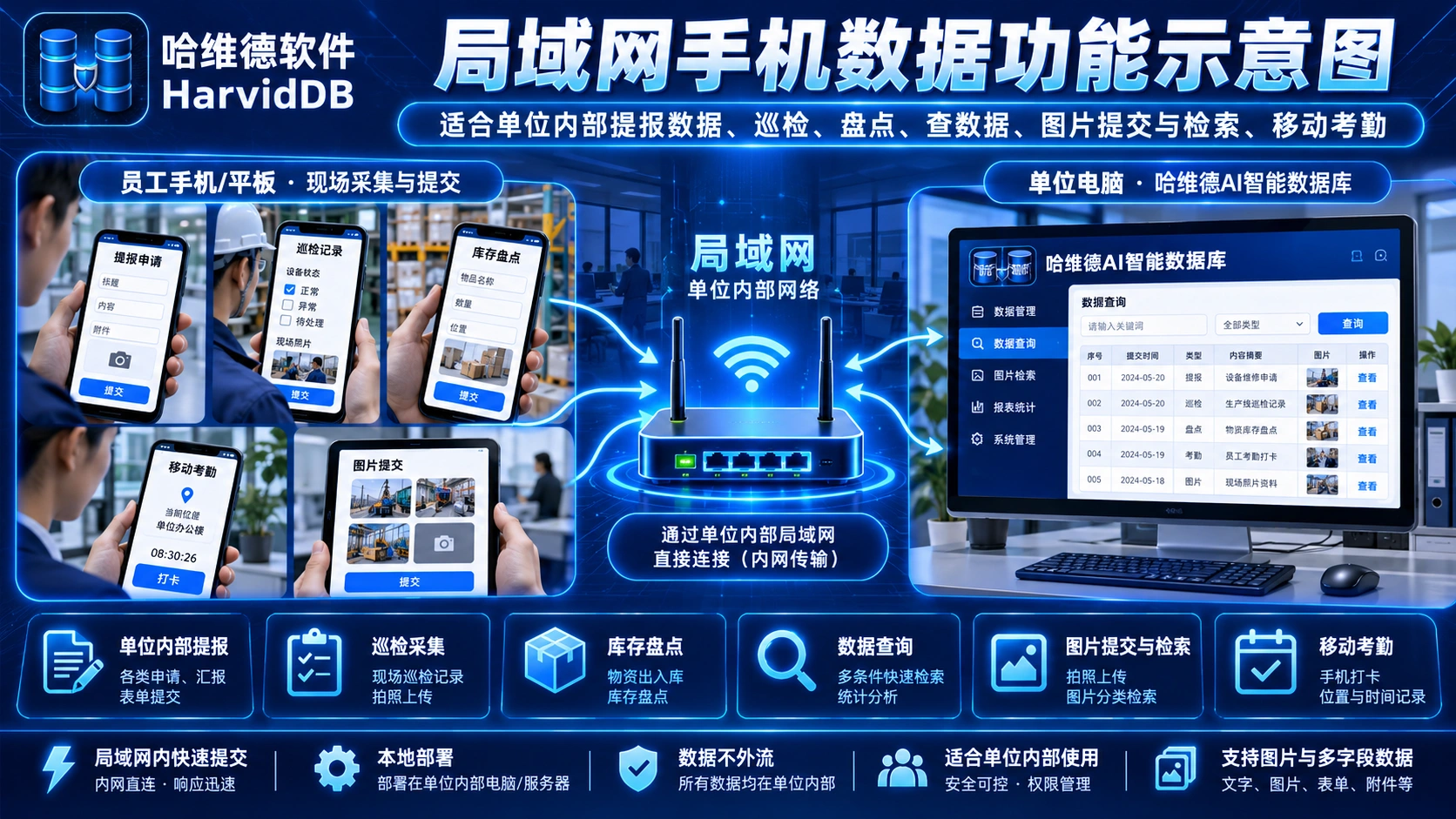
03 / Local Area Network · LAN
On the same internal network, phones and tablets connect directly to local HARVID for field collection, submissions, queries, and image uploads, without a wide area relay. Bring inspection, inventory, and internal reporting records into the database, ready for follow-up queries and statistics.
04 / Wide Area Network · WAN
Mobile users in different regions interact with a customer’s local HARVID database through the HARVID Remote relay and control service. Connect submissions, queries, image uploads and search, customer feedback, and remote inspections to a shared database workflow for collecting and improving business information.


Architecture concept. This prototype connects to no services or production APIs.
05 / Search by image
Choose an image as your query. HARVID finds similar records in the image database and ranks them by similarity. Adjust the threshold to keep matching images and their associated records, then use data fields to explore complete information. Find product images, reference material, and related assets with less manual browsing.
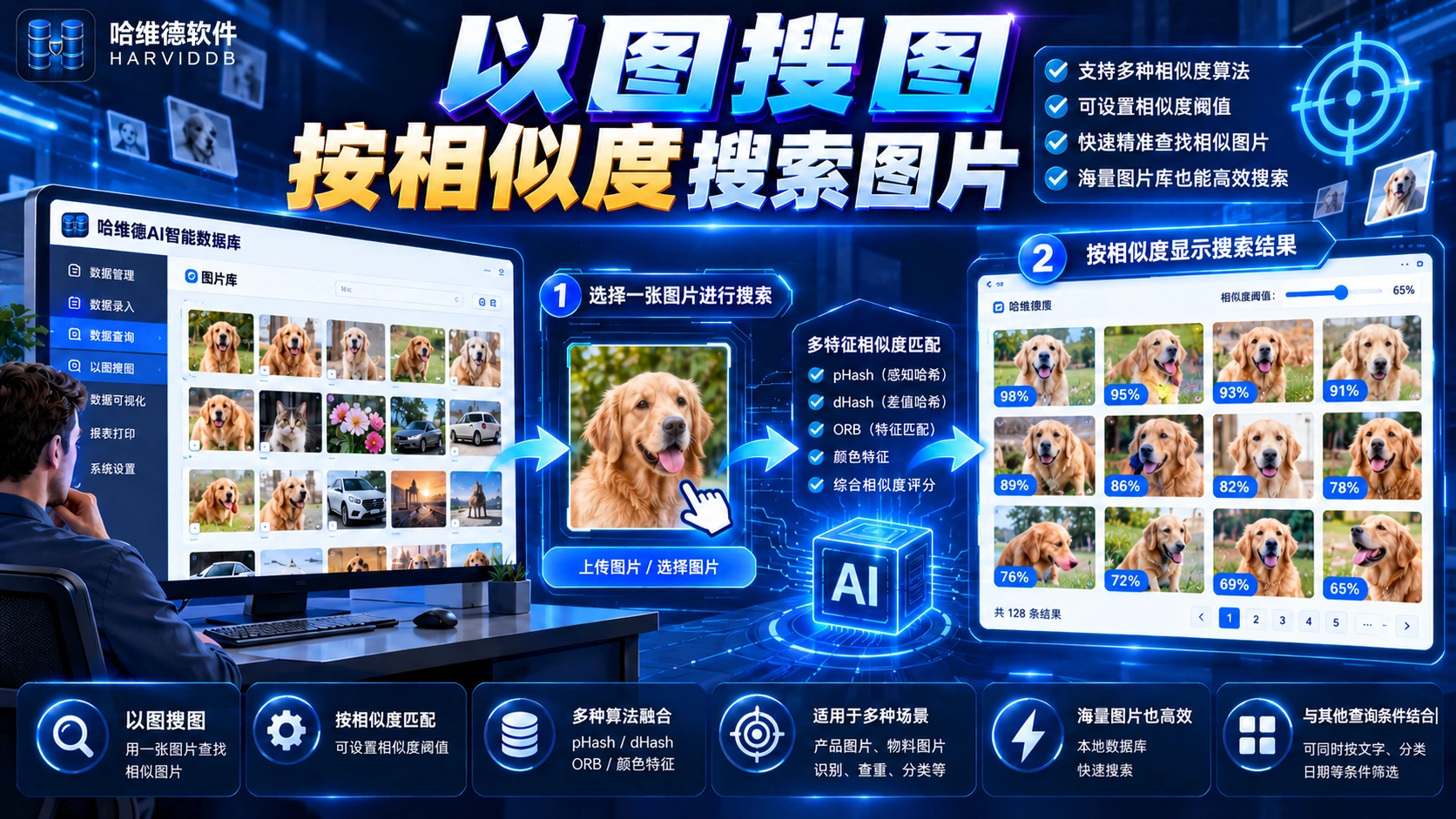
Interactive example · Sample results
An auxiliary interactive example. Adjust the threshold to see which sample images remain.

 96% IMG_002
  89% IMG_003
  82% IMG_004
  74% IMG_005
 No sample records meet this threshold
4 matching sample records
Images come from the supplied artwork. Similarity scores are illustrative.
06 / Local data & security
HARVID manages and processes business data locally. Required structure or metadata supports external AI understanding and planning; HARVID then executes locally and produces results. Keep queries, filtering, statistics, and visualization centered on the local database. Permissions, backups, and information scope depend on configuration and formal acceptance.
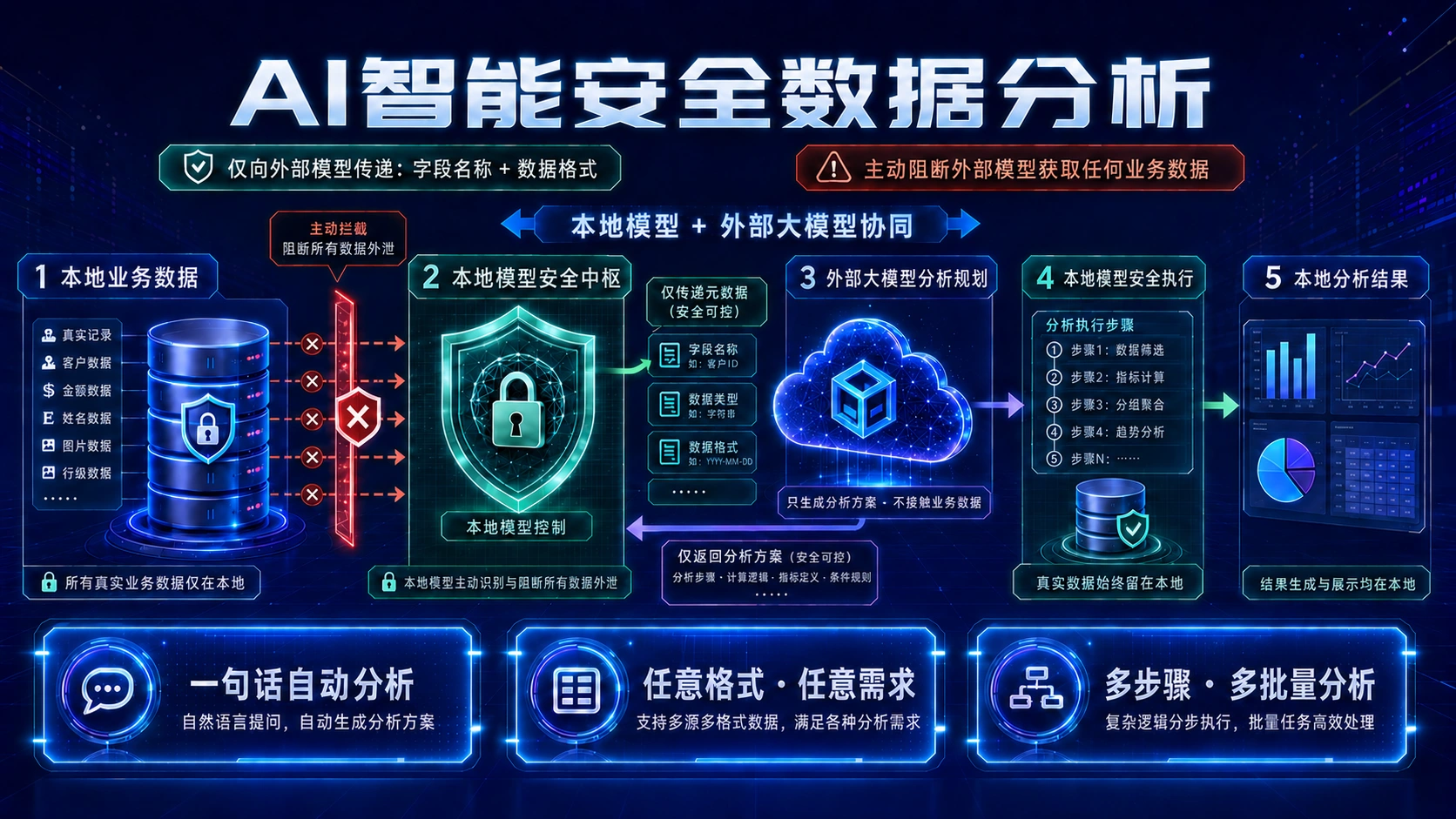
Data scope, model configuration, and execution permissions depend on product settings and formal acceptance.
07 / APIs & integration
Connect HARVID to business systems, devices, third-party applications, and mobile users through APIs and data exchange. Bring Excel files, images, attachments, mobile submissions, and queries into the database, then connect AI processing and visualization outputs. Make data capabilities part of your existing business workflow.

08 / Use cases
Define data around your business. Connect devices around the way you work.
Organize tables around your business, from entry to queries and statistics.
Submit field records, images, and feedback from a phone.
Connect product information with queries and additional feedback.
Link images to records and narrow searches by similarity.
Connect mobile devices across regions through wide area networks.
Describe a task in natural language for statistics and visualized results.
09 / More practical capabilities
Extend your workflow with QR labels, batch image collection and export, and database structure management. All images below are feature illustrations.

Turn database records into QR labels, with label design, batch generation, and printing.
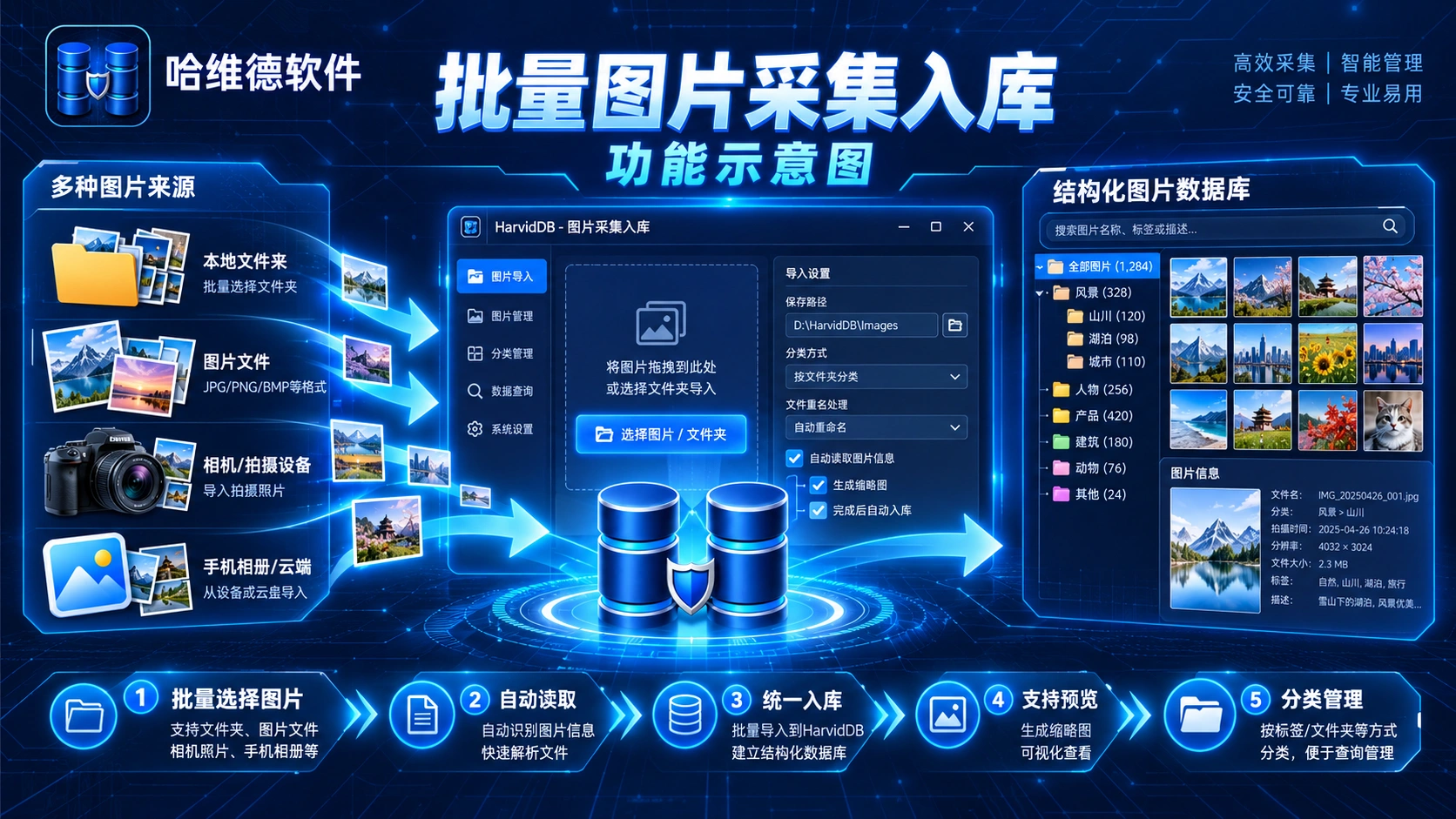
Collect images from folders, files, cameras, or phones into an image database for categorized management.
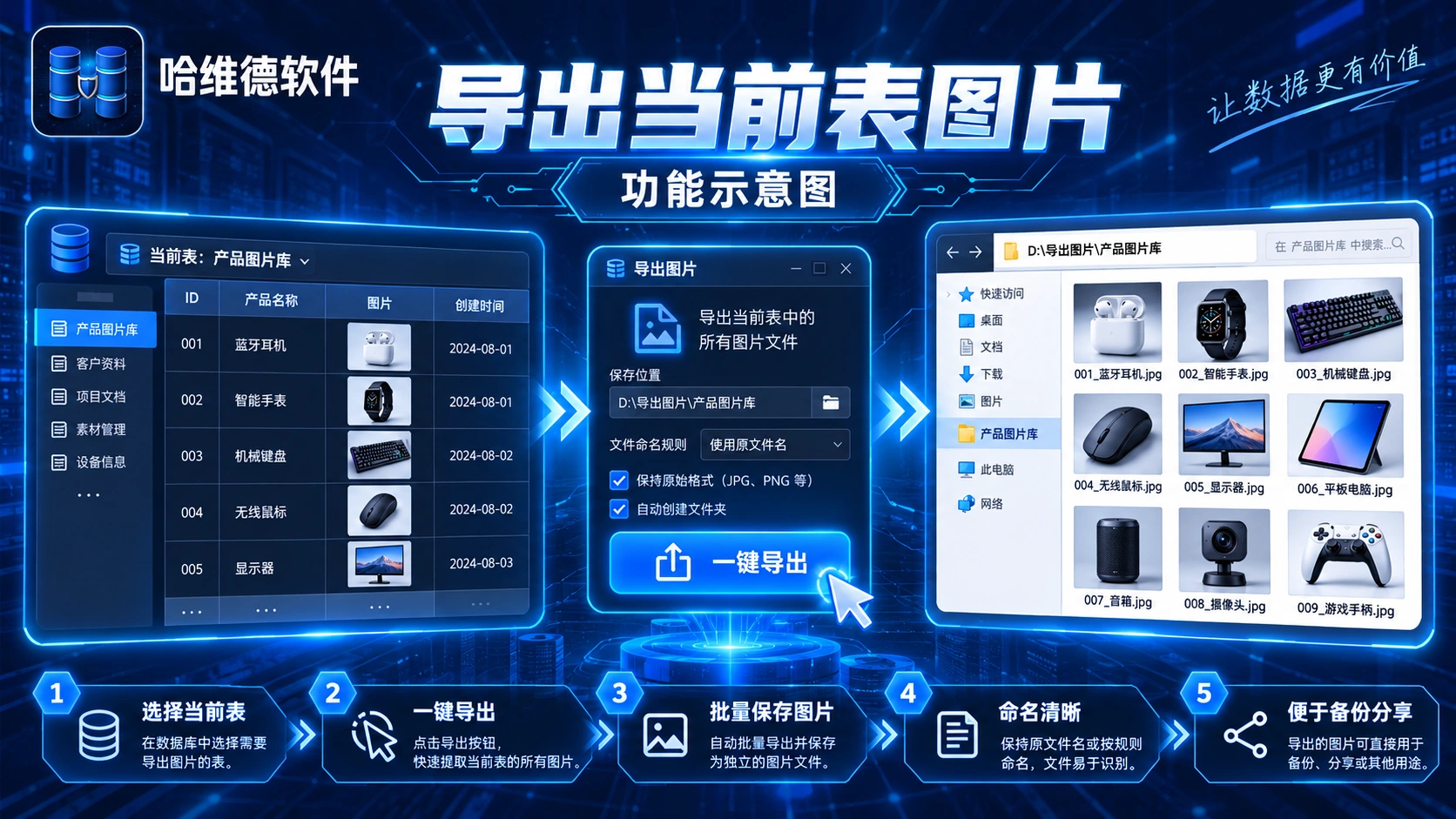
Export the current table’s image fields to a local folder for backup and sharing.
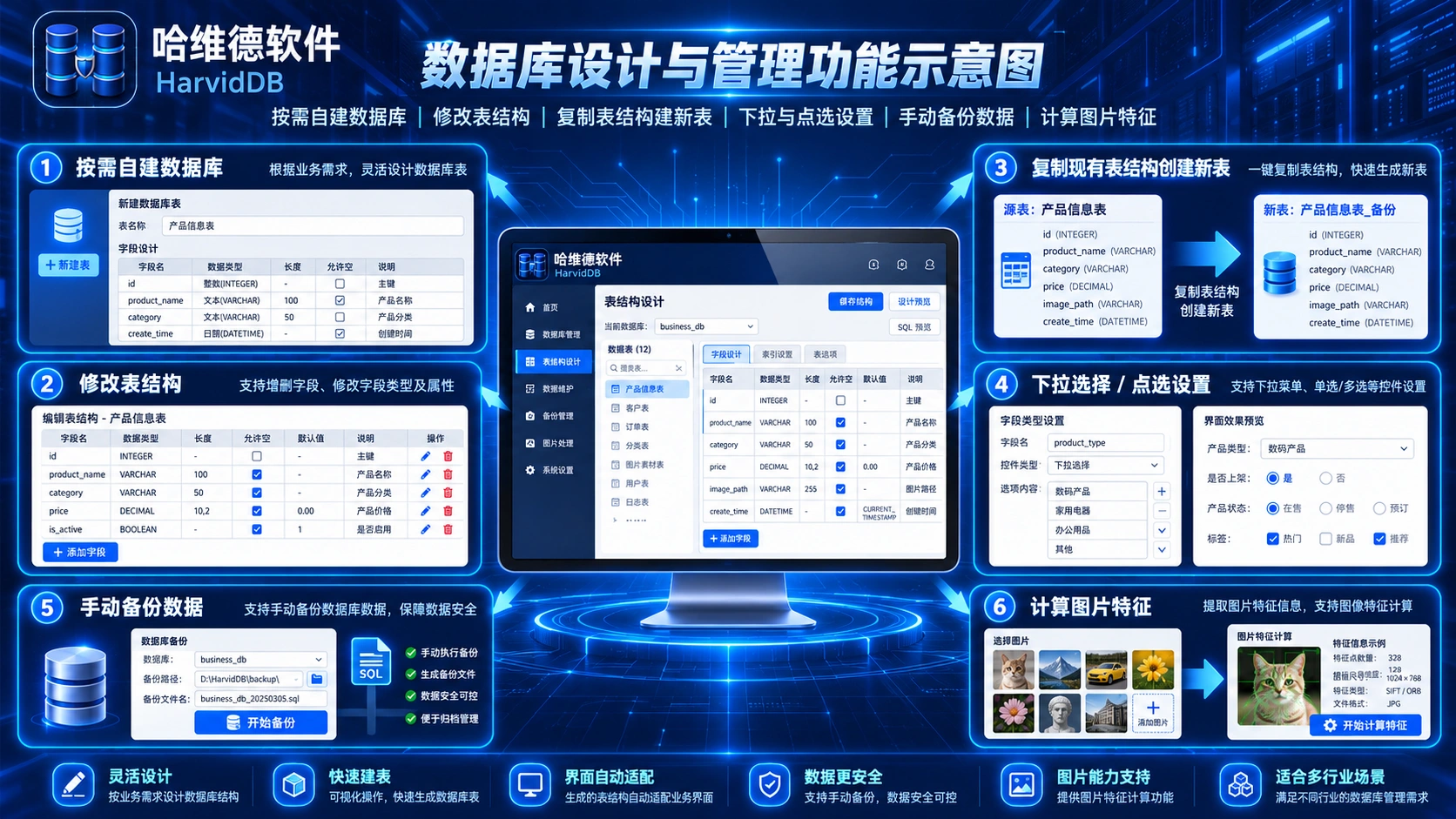
Manage table edits, structure copies, field controls, backups, and image features.
About HARVID
HARVID connects local data management, intelligent processing, and multi-device interaction through an AI-powered intelligent database.
HARVID · CONNECT YOUR DATA
HARVID / CONTACT
Explore how HARVID connects your data and workflows. Contact us about products, trials, business cooperation, or technical discussions.
WeChat / Phone
18909348601On a phone, tap the number to call, or save the QR image and recognize it in WeChat.
Use WeChat to scan the QR code and add HARVID customer service.